It’s very easy to run a live multiple-choice question quiz in Beekast. This interactive meeting activity takes minutes to set up, integrates seamlessly into your existing presentations, and delivers instant results you can act on right in the room.
In this guide, you’ll learn how to set up a Beekast MCQ activity from scratch, see the best ways to use it across different session types, and walk away with practical tips to make every question count.
What is a Multi-Choice Question (MCQ)?
A Multiple-Choice Question (MCQ) is a type of question that presents several possible answers, usually with one correct option. Participants select their response from the given choices rather than providing a written answer.
MCQs are commonly used in quizzes, surveys, training sessions, and events to quickly assess understanding, gather opinions, or test knowledge in a clear, structured way.
How does an Interactive MCQ Quiz Work?
An interactive MCQ (multiple-choice question) quiz works by turning a static question into a live, participatory activity where attendees respond in real time, with results aggregated and displayed instantly.
First, the facilitator prepares a question with predefined answer options — typically three to five clear choices. The quiz is added to the meeting agenda or session flow inside the meeting platform. Participants join the session on their own devices (laptops, tablets, or phones) using a link or session code.
When the facilitator launches the quiz, the question appears on participants’ screens. Each person selects one (or more, depending on settings) of the provided options. Responses are submitted instantly and collected by the system.
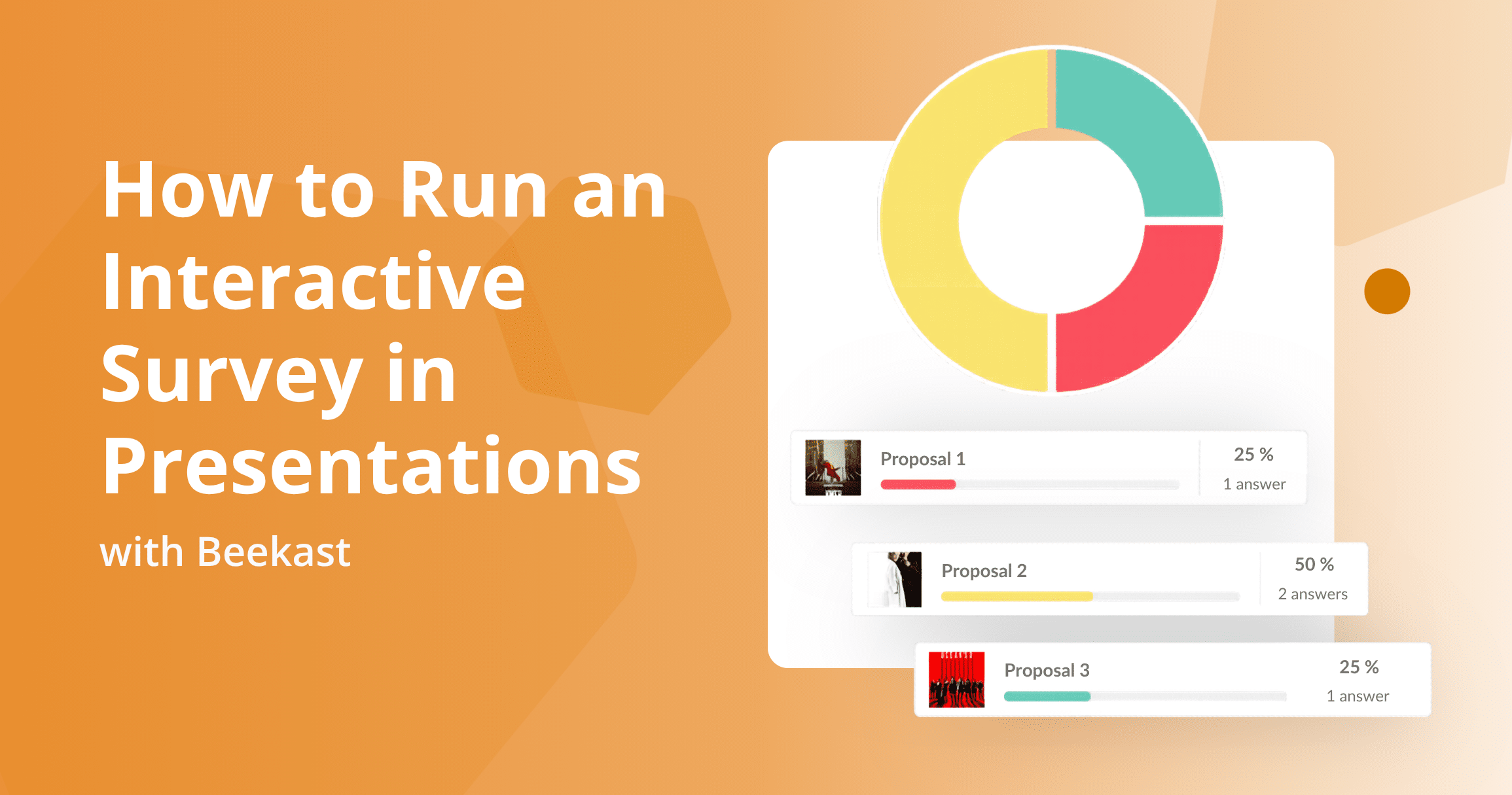
As answers come in, the platform automatically aggregates them. Results can be displayed live as a bar chart, percentages, a ranking list, or in another visual format. This allows everyone to immediately see how the group responded — whether there is strong alignment, divided opinion, or unexpected patterns.
What are the Benefits of Using MCQs for Meetings?
Using multiple-choice questions (MCQs) in meetings helps facilitators collect input quickly while keeping discussions focused and efficient. Because participants only need to select from predefined options, MCQs lower the effort required to respond and make participation more consistent across the group.
- Fast and efficient participation: MCQs make it easy for participants to respond in just a few seconds. Because no typing or discussion is required, you can collect input from the whole group without slowing the meeting down or interrupting the agenda.
- Clear, structured responses: with predefined answer options, MCQs reduce vague or off-topic responses. This structure helps ensure that everyone is responding to the same question in the same way, making results more reliable and easier to interpret.
- Better engagement throughout the meeting: adding MCQs at key moments encourages participants to stay attentive and involved. Even simple questions can help reset focus and bring attention back to the discussion.
- Easy analysis and follow-up: because responses are structured and quantitative, MCQ results are easy to review after the meeting. They can be shared with participants, used in summaries, or referenced when planning next steps.
5 Ways to Use Multi-Choice Questions for Meetings
Here are five practical ways to use multiple-choice questions to make meetings more productive and outcome-driven.
1. Speed Up Decision-Making
Use multi-choice questions to narrow available options and reach a decision faster — instead of spiraling into an endless, open-ended conversation.
We’ve all been in meetings where someone asks a question and forty-five minutes later, you’re still going in circles. Multiple-choice questions fix this by giving people something concrete to respond to rather than a blank Whiteboard to fill.
MCQ Example
Which pricing model should we test next quarter?
A) Tiered (3 levels)
B) Usage-based
C) Flat monthly
D) Freemium + upsell
Why It Works
- Reduces analysis paralysis
- Forces clear trade-offs
- Makes alignment visible quickly
- Cuts meeting time dramatically
Best for: Product, strategy, marketing, and roadmap decisions.
2. Gauge Alignment Before Debating
Instead of starting a meeting with open discussion, use a multiple-choice question to get a fast read on how people are actually thinking before anyone begins arguing their case. In most meetings, the first few voices set the tone, and others unconsciously align or stay quiet. A quick vote prevents that dynamic by capturing everyone’s perspective at the same time.
MCQ Example
What’s the biggest blocker to hitting our Q2 target?
A) Lead quality
B) Conversion rate
C) Sales follow-up
D) Pricing
E) Product gaps
Why It Works
- Prevents loud voices from dominating
- Surfaces hidden disagreement
- Avoids debating the wrong issue
Best for: Leadership syncs, performance reviews, and retros.
3. Prioritize Initiatives Quickly
When a meeting produces too many good ideas and no clear priority, use a multiple-choice question to force a ranking decision. In many planning sessions, teams list 10 initiatives and agree that all are “important.” That’s where momentum dies. A structured vote via MCQs forces trade-offs.
MCQ Example
Which initiative would have the highest impact this quarter?
A) Improve onboarding flow
B) Launch referral program
C) Redesign pricing page
D) Expand the outbound team
Why It Works
- Converts opinions into visible data
- Removes vague “everything is important” bias
- Encourages strategic thinking
Best for: Planning meetings, quarterly strategy, and backlog grooming.
4. Increase Participation from Quiet Team Members
Multiple-choice questions create a structured way for everyone to contribute in a meeting, especially people who are too shy to speak up.
MCQ Example
How confident are we in this launch timeline?
A) Very confident
B) Somewhat confident
C) Neutral
D) Concerned
E) Strongly concerned
Why It Works
- Encourages psychological safety
- Captures silent concerns
- Provides a temperature check in seconds
Best for: Risk reviews, project check-ins, cross-functional meetings.
5. Validate Assumptions Before Acting
Before building, shipping, hiring, or investing, use a multiple-choice question to test the core assumption behind the decision. Every proposal depends on something being true — but in meetings, that assumption is not clearly articulated. MCQs force the team to define what they believe is driving the problem.
MCQ Example
What do we believe is the primary reason customers churn?
A) Missing features
B) Too expensive
C) Poor onboarding
D) Lack of use case clarity
E) Competitor switching
Why It Works
- Separates belief from evidence
- Highlights where data is missing
- Reduces costly wrong bets
Best for: Product reviews, churn analysis, and growth strategy.
How to Set Up Multi-Choice Questions for Meetings
Use the Beekast interactive meeting software to create multiple-choice questions for your meetings
1. First, log in to Beekast and open the session where you want to run your interactive activity. You can share the session link or session code with participants so they can join on their devices.
2. In your session workspace, click “Add a slide” in the top left. From the activity menu, select “Quiz” — this is where you’ll create your MCQ. A quiz slide will be inserted into your session sequence.
3. Now, it’s time to customize your quiz. Once the Quiz slide appears and the editing panel opens on the right:
- Title: replace the default with your question or prompt.
- Instructions: add any guidance you want participants to see.
- Format Choice: choose single-choice or multiple-choice answers.
- Answer Options: enter the options you want participants to choose from and mark which are correct (if you’re scoring the activity). You can even add images per option.
- Display Settings: choose how results will appear (percentage histogram, podium, or aggregated score).
This lets you tailor the MCQ to anything from decision polling to knowledge checks.
4. When you’re ready to run the question in your live session:
- Navigate to the MCQ slide.
- Click “Start” in the top right of the activity panel.
Participants will see the question and answer options on their screens and respond in real time. You also control when the MCQ is active, so you can use it at the beginning, middle, or end of your meeting.
5. Once participants submit responses:
- Results can be shown immediately or after the question closes.
- Visual displays (like histograms or podiums) help everyone see where the group stands and spark discussion.
- Facilitators can display results on a shared screen to discuss them together.
Beekast makes results easy to interpret and integrates them into your session flow. You can also export results or generate a report for records or follow-up analysis.
Meeting MCQs Best Practices
Here are some best practices for using MCQs effectively in workplace meetings.
1. Anchor the Question to a Real Decision
An MCQ should never feel academic. Tie it directly to an upcoming action or decision. Instead of asking, “What do we think about onboarding?” ask, “Before we commit next quarter’s resources, what is the primary activation blocker?” When participants understand that their vote influences a real decision, they take it seriously.
2. Limit Options to 3–5 Clear Choices
The effectiveness of an MCQ depends on focus. If you include more than five options, the vote becomes diluted and harder to interpret. On the other hand, offering only two options can oversimplify the issue and force a false binary that doesn’t reflect reality. If you find it difficult to narrow the list down, that’s usually a sign that the problem you’re trying to solve isn’t clearly defined yet
3. Make Options Mutually Exclusive and Concrete
Overlapping options create confusion and muddy results. Each answer choice should represent a distinct explanation or path forward.
For example, avoid vague or duplicative options like:
- Improve onboarding
- Fix activation
- Simplify UX
Instead, clarify the differences:
- Reduce onboarding steps
- Improve the first-value milestone
- Add guided product walkthrough
When Not to Use an MCQ for Meetings
Multiple-choice questions can be useful for quick decisions, but they are not the right fit for every meeting. Avoid using an MCQ when the topic needs exploration, nuance, or open discussion.
- When the goal is brainstorming: MCQs limit creativity by forcing people into predefined options.
- When the issue is complex or sensitive: some topics need context, explanation, and discussion before decisions are made.
- When you do not yet know the right options: if the possible answers are unclear, an open-ended question works better.
- When you need qualitative feedback: MCQs can show preference, but they rarely explain the reason behind it.
- When alignment matters more than speed: a fast vote may hide disagreement or confusion.
- When the group needs to build shared understanding: discussions help people learn from each other before choosing a path.
- When the decision has major consequences: important decisions usually need evidence, debate, and clear rationale.
Use Beekast for Interactive MCQ Quizzes for Your Meetings and Training
Multiple-choice questions bring structure, clarity, and engagement to any meeting, but their true impact depends on how easily they can be implemented. With Beekast, turning a simple question into a dynamic, interactive experience takes just a few clicks. You can launch live MCQs, collect instant responses, and display clear visual results that spark meaningful discussion and guide decisions.
If you want to run smarter, more engaging sessions, sign up for Beekast for free and add your first MCQ activity today.
MCQ Quiz FAQs
Got more questions about MCQ quizzes? We’ve answered a few below.
1. What Is an MCQ Quiz in Beekast?
A Beekast MCQ (multiple-choice question) is a live quiz activity in which participants select one or more correct answers from a set of options on their own devices. Results appear in real time as a percentage histogram showing how the group responded, or as a podium that highlights the top performers. It can be used at any point in a session — at the start to introduce a topic, mid-presentation to check understanding, or at the end to validate learning.
2. Can I Allow Multiple Correct Answers in a Beekast MCQ?
Yes. When setting up your MCQ activity, you can mark more than one answer as correct. This is useful when you want to test deeper comprehension — for example, asking participants to identify all the steps that apply in a given scenario. Participants must select all correct answers to score full points.
3. Does Beekast Work with PowerPoint and Google Slides for MCQ?
Yes. Beekast integrates directly with both PowerPoint and Google Slides. You can embed an MCQ activity into a specific slide in your presentation, and it will launch automatically when you reach that point during your session. This means no switching between tools, no sharing extra links, and no disruption to the flow of your presentation.
4. How Is an MCQ Different from a Beekast Challenge?
An MCQ is a single question — ideal for a quick knowledge pulse at any point in a session. A Beekast Challenge is a multi-question gamified quiz with a countdown, live scoring, and a final podium. Use an MCQ when you want a focused check-in tied to a specific moment in your content; use a Challenge when you want a full competitive quiz experience, typically at the end of a session or as a standalone activity.