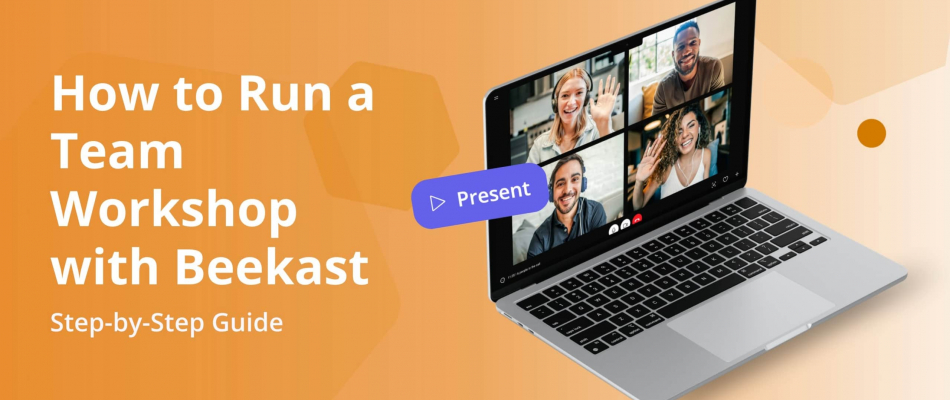
If you’re tired of team workshops that feel one-sided, unfocused, or unproductive, use the Beekast interactive meeting software for your next team training session. Designed for audience interaction, Beekast adds real-time participation, collaboration, and feedback to your workshops.
Team workshops are most effective when everyone is involved. Whether your teams are remote, hybrid, or in-person, interaction is what turns a workshop into real outcomes. In this guide, you’ll learn how to use Beekast to design and facilitate interactive workshops that keep participants engaged and aligned.
What is a Team Workshop?
A team workshop is a structured working session in which a group of people comes together to collaborate on a specific goal. Instead of long presentations, team workshops focus on discussion, problem-solving, idea sharing, and decision-making.
Team workshops are commonly used to:
- Align teams on goals or strategy
- Solve problems or generate ideas
- Plan projects or improve processes
- Build collaboration and engagement within a team
Collaborative workshops can take place in person, online, or in a hybrid setting, and typically include interactive activities to ensure everyone contributes.
Why Use Beekast for Team Training?
Beekast is an interactive meeting and training platform designed to support virtual, in-person, and hybrid workshops. It gives teams a shared space to collaborate, contribute ideas, and stay aligned — no matter where participants are located.
Here’s why Beekast works so well for team workshops:
- Host virtual, in-person, and hybrid workshops: Beekast works for any workshop format. Teams can join from their own devices during remote sessions, participate together in a room, or combine both in hybrid workshops. Everyone interacts with the same activities in real time, creating a consistent experience for all participants.
- Structure discussion and collaboration: instead of open, unfocused conversations, Beekast helps you guide discussions with polls, open questions, and collaborative boards. This structure keeps workshops productive and ensures every participant has a chance to contribute.
- Capture and organize workshop outcomes: all ideas, responses, and results are saved automatically. After the workshop, you can review contributions, share outcomes with your team, and turn ideas into clear decisions or next steps, without losing important input.
- Encourage participation from every team member: anonymous participation options make it easier for quieter team members to share input. This leads to more balanced discussions and better-quality ideas, not just feedback from the most vocal participants.
- Measure engagement and follow up effectively: Beekast provides session data that shows participation levels and activity results. These insights help you understand what worked, identify gaps, and plan more effective follow-up workshops or actions.
How to Host an Online Workshop With Beekast
Step 1: Log in to your Beekast account. If you don’t have an account, you can sign up for free.

Step 2: On your Beekast dashboard, click on “Create a new session.”

Step 3: Click on “add slide.” From there, you can choose Beekast team workshop templates or activities to add to your training session. You can also import a presentation from Google Slides or Microsoft PowerPoint. Hover over different templates and activities to see what they will look like once added to your slide.

Step 4: Once you’ve added all the Beekast templates and activities, share the session with participants.

Step 5: Host your workshop using interactive activities and templates — such as discussion boards and polls — to quickly gather ideas, collect feedback, and give participants the opportunity to contribute.
Step 6: After the workshop, use Beekast analytics to review participant responses, engagement levels, and activity results. This helps you identify key outcomes, understand participation, and define clear next steps.
For example, you can see which activities generated the most ideas, identify topics with lower engagement, review all responses in one place, and use these insights to plan follow-up actions or future workshops.
The Best Team Workshop Activities and Templates to Engage Participants
Beekast has a wide range of interactive activities and ready-to-use templates designed to make virtual workshops more engaging and productive.
1. Ideation Workshop Template
What it is: An ideation workshop is a structured session designed to help teams generate new ideas and explore fresh concepts. This template uses guided, easy-to-run exercises to stimulate creativity and make idea sharing accessible to everyone, including quieter participants.
Best used for: Ideation workshops are ideal for brainstorming new products or features, solving problems, improving processes, or exploring new directions as a team. They work well in virtual, in-person, or hybrid settings.
Core benefit: The main benefit is collective creativity. By giving everyone a simple way to contribute, the workshop produces more diverse ideas, reduces creative bias, and helps teams move from blank page to actionable concepts faster.
2. Problem-Solving Workshop Template
What it is: A problem-solving workshop is a structured session designed to help teams analyze challenges and work together to find solutions. This template uses interactive exercises to break down complex problems and guide the group toward a clear, shared understanding.
Best used for: Problem-solving workshops are ideal when teams face operational issues, process bottlenecks, project roadblocks, or strategic challenges that require collective input. They work well for virtual, in-person, and hybrid teams.
Core benefit: The main benefit is shared problem resolution. By giving everyone a way to express ideas and perspectives, the workshop surfaces different viewpoints, encourages collaboration, and helps teams reach more thoughtful, well-aligned solutions.
3. Continuous Improvement Workshop Template
What it is: A continuous improvement workshop is a structured session focused on reflecting on past work and identifying ways to improve as a team. This template helps teams review what’s working, what isn’t, and where changes can be made using guided, interactive exercises.
Best used for: Continuous improvement workshops are ideal for retrospectives, process reviews, team performance discussions, and optimization initiatives. They work well for teams looking to improve workflows, collaboration, or outcomes over time.
Core benefit: The core benefit is progress through reflection. Teams turn past experiences into clear insights and actionable improvements, helping them continuously improve their work and collaboration.
Want more templates and interactive activities for your team workshops? Check out the Beekast meeting template library for plug-and-play options built for team training sessions.
Workshop Facilitation Best Practices
A good workshop keeps people focused, involved, and clear on what happens next. The facilitator’s role is to guide the group, create space for participation, and turn discussion into useful outcomes.
- Start with a clear purpose: explain why the workshop matters, what the group will work on, and what success looks like.
- Set expectations early: share the agenda, timing, participation rules, and how decisions or outputs will be captured.
- Keep everyone involved: use polls, brainstorming, questions, and small-group moments to avoid one-way discussion.
- Balance structure and flexibility: follow the plan, but leave room for useful ideas, questions, or concerns that come up.
- Make participation easy: use simple activities, clear instructions, and accessible tools so everyone can contribute.
- Watch the energy in the room: add breaks, change formats, or use quick check-ins when focus starts to drop.
- Capture key outputs as you go: record ideas, decisions, questions, and action items during the session, not afterward from memory.
- End with clear next steps: summarize the main outcomes, assign owners, and explain what will happen after the workshop.
Run More Effective Team Workshops and Training Sessions with Beekast
With Beekast, you can structure your workshops and training sessions using interactive activities that make it easy for participants to contribute ideas, share feedback, and collaborate in real time. It works just as well for virtual, in-person, and hybrid formats, so everyone has the same experience regardless of location.
After the session, all inputs and results are saved automatically. This allows you to review what was discussed, measure participation, and quickly define next steps. If your goal is to run workshops and training sessions that drive real engagement and actionable results, Beekast gives you the tools to make it happen.
Try Beekast for your next team workshop.
Beekast for Team Workshops FAQs
Got more questions about using Beekast for team training and workshops? You’ll find some helpful answers below.
1. How Long Should a Team Workshop Last?
Most team workshops last between half a day and two days, depending on the topic and the required depth. For virtual sessions, shorter modules (60–120 minutes) often work best to maintain engagement.
2. Can Beekast Be Used for Remote and Hybrid Workshops?
Yes. Beekast works seamlessly for in-person, remote, and hybrid workshops. Participants can join from their own devices while you run the session alongside Zoom, Microsoft Teams, or other video conferencing tools.
3. What Activities Should I Include in a Team Workshop?
Common team workshop activities include:
- Icebreakers
- Brainstorming sessions
- Word clouds
- Quizzes and polls
- Prioritization exercises
- Feedback surveys
You can find these activities and more in Beekast’s interactive activity templates library.
4. What is the Best Way to Start a Team Workshop?
Start with a clear welcome, a simple icebreaker, and a shared goal. Use a quick Beekast activity, such as a word cloud, poll, or mood check, to involve everyone from the start and foster an open, collaborative atmosphere.
5. How Do I Keep Participants Engaged Throughout a Long Workshop?
Keep things moving by switching formats often. Mix short explanations with discussions, polls, quizzes, brainstorming activities, and breaks. Use Beekast activities regularly to bring people back in, check how they are doing, and keep the energy visible.
6. How Do I Capture and Follow Up on Workshop Outcomes?
Capture ideas, decisions, questions, and feedback in Beekast as the workshop happens. After the session, review the results, pull out the key takeaways, assign clear next steps, and share a simple follow-up so everyone knows what happens next.